How to Manage Crypto Payments in One Dashboard
Accepting crypto in several coins quickly turns into a scavenger hunt. One wallet for Bitcoin, another for USDT, an exchange tab for conversions and a spreadsheet to keep it all honest. Each tool works fine alone, but together they leave you guessing which payments have landed and which orders are still waiting. A single dashboard replaces that juggling act with one screen where every payment, balance and payout lives side by side. Here is what to expect from one, and how to get yours running.
What a Crypto Payments Dashboard Shows
Think of it as the control room for your incoming money. Instead of checking separate wallets and block explorers, you open one page and see where every payment stands, which coins you hold and what needs your attention today.
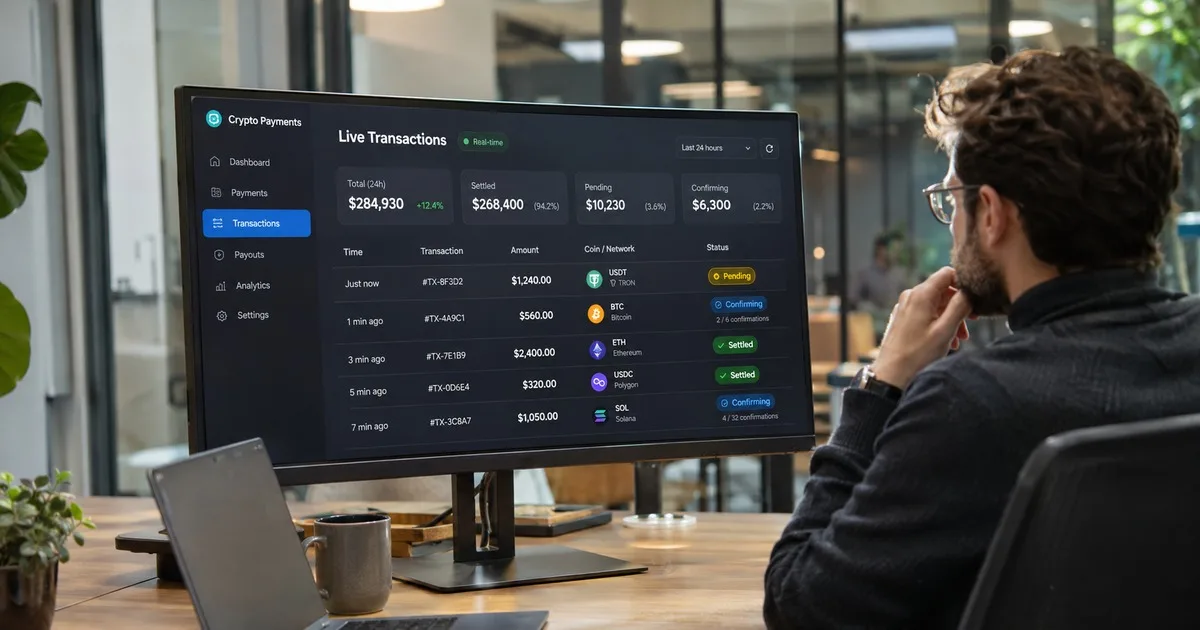
Live Transactions in a Crypto Payments Dashboard come first, because they answer the question you ask most often: did that customer pay? Each payment appears with its amount, coin, network and status, from waiting for confirmation to fully settled. Partial payments and late transfers are flagged instead of quietly slipping through, so your team can follow up while the customer is still at the checkout.
Multi-Coin Balances in a Crypto Payments Dashboard solve a different problem: knowing what you actually have. Bitcoin, Ethereum and stablecoins sit in one summary, usually with an estimated value in your preferred currency. That makes it easy to see your exposure to price movement and decide whether to hold, convert or withdraw, without opening three separate apps to do the maths.
Crypto Payments Dashboard Reporting
Reports turn raw transactions into something your accountant can use. Look for filters by date, coin, status and order, plus exports to CSV or PDF. A good report shows the exchange rate at the time of each payment, which matters when you reconcile books at the end of the month. If you can answer “how much did we receive last quarter?” in under a minute, the reporting is doing its job.

Payouts From a Crypto Payments Dashboard
Getting money out should feel as simple as getting it in. A solid dashboard lets you choose where funds go, whether that is your own wallet, an exchange or a bank account, and shows the fees before you confirm. Some setups allow scheduled payouts, which suits businesses that prefer a predictable weekly transfer over manual withdrawals. Check the payout history too, since a clear record saves time when something needs to be traced.

How to Set Up a Crypto Payments Dashboard
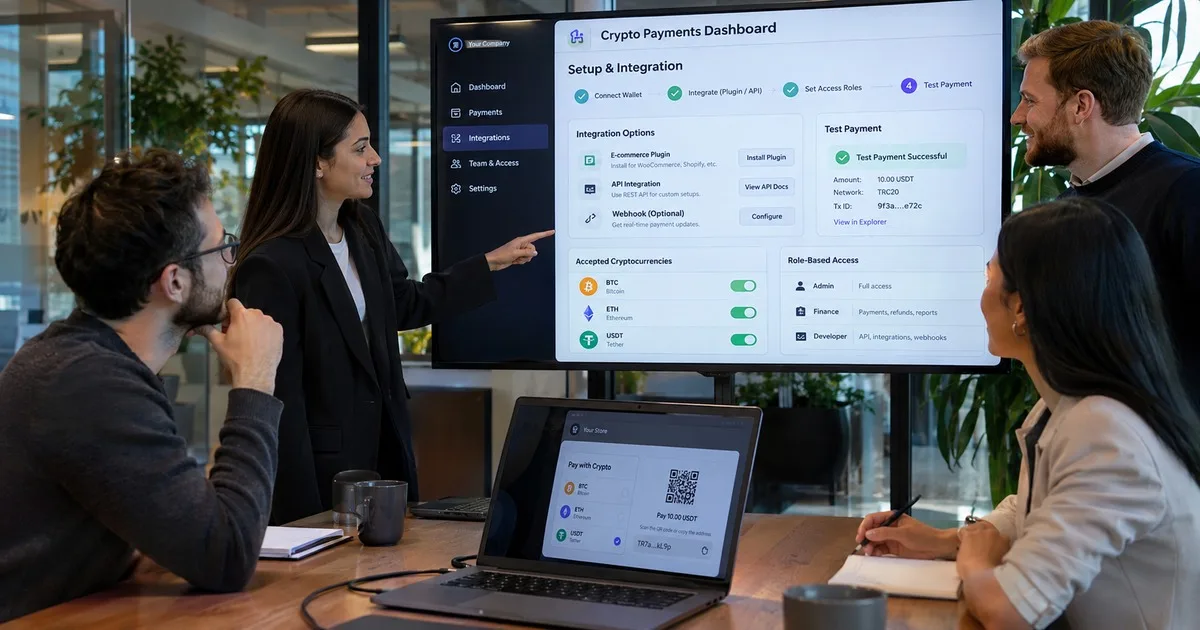
Setup is usually quicker than people expect. Create an account with a provider such as ULXPay , verify your business details, then choose the coins and networks you want to accept. Connect the dashboard to your store or app through a plugin or API, and invite your team with roles that match their duties, so finance sees reports while support sees only transactions. Before going live, send a small test payment and follow it from checkout to payout. If every step shows up on screen as expected, you are ready to accept real orders.
FAQ
What Can I Track in a Crypto Payments Dashboard?
You can track incoming transactions and their confirmation status, balances across different coins, past payouts and detailed reports. Everything is shown in one place, so you no longer need to check separate wallets.
Can My Team Use a Crypto Payments Dashboard Together?
Yes. Most dashboards let you add team members with different permission levels. For example, your finance team can access reports and payouts, while support staff only see transaction statuses.
Is a Crypto Payments Dashboard Suitable for Small Businesses?
Absolutely. A dashboard is often most valuable for small teams, because it replaces manual tracking and spreadsheets with automatic records, and it grows with your payment volume.